ChatGPT Prompts for Freelancers: 24 Fill-in-the-Blank Templates That Work in Claude and Gemini Too
Generic prompts produce generic answers. Freelancers need a clear role, task, context, rules and format – plus blanks you actually fill in. Here are 24 copy-paste ChatGPT prompts for freelancers that also work in Claude and Gemini.
If you want more AI kits for business owners and freelancers after this guide, start at the AI kits hub.
The 5-part prompt structure
Every prompt below uses the same five parts. Learn them once and you can adapt any prompt without a blank chat box.
- Role – who the AI should act as.
- Task – the concrete job.
- Context – facts only you know (notes, prices, voice sample).
- Rules – length, tone, what not to invent.
- Format – how the answer should be laid out.
Fill every [BLANK] before you run the prompt.
Give AI your context once: the Context Card
Keep a short Context Card for new threads, ChatGPT custom instructions, a Claude Project, or a Gemini Gem:
Context Card template
I'm a freelance [ROLE] helping [IDEAL CLIENT] with [SERVICES]. Typical project size: [RANGE]. Tone: [PLAIN / WARM / DIRECT]. I never promise [THINGS YOU DON'T PROMISE]. Words I avoid: [LIST]. Proof points I can cite: [2–3 REAL RESULTS].
Update it when your offer or rates change.
Blanks, "use when" lines and why they speed things up
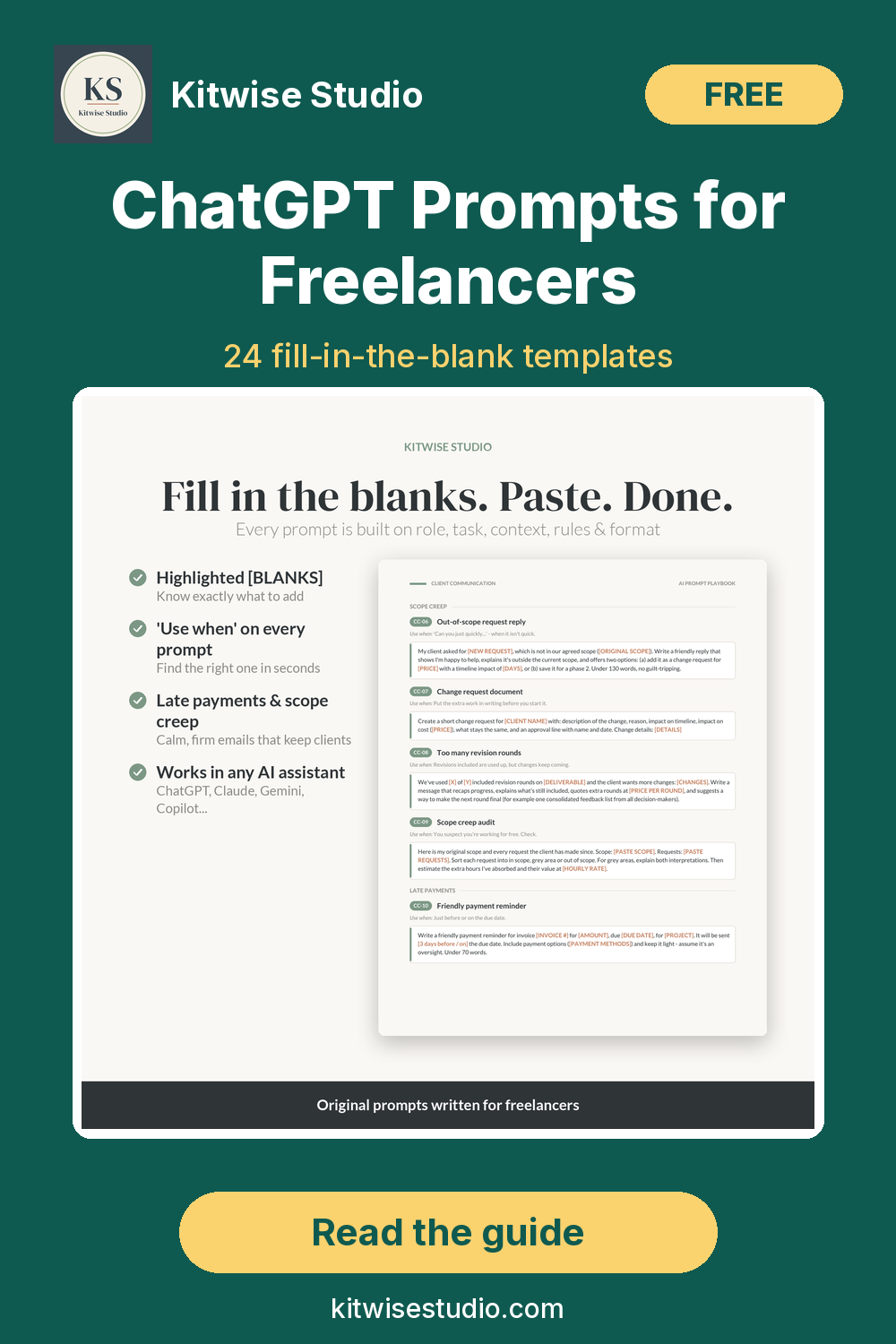
Each prompt has a one-line Use when and [BLANKS] so you know what to add. That beats a wall of vague prompts you never reopen.
AI output can contain mistakes – review every draft, match your voice, and never paste confidential client data without permission. Kitwise Studio is not affiliated with OpenAI, Anthropic or Google. Contract, tax and money prompts are drafting help only – not legal, tax or financial advice.
Prompts for winning clients
Fill the blanks, then edit so it sounds like you.
1. Cold email / LinkedIn outreach
Use when: Reaching out to a business you want to work with.
Role: Senior freelance [YOUR ROLE] writing concise outreach.
Task: Cold email + LinkedIn note to [NAME], [THEIR ROLE] at [COMPANY].
Context: Noticed: [SPECIFIC OBSERVATION]. Offer: [SERVICE] for [RESULT]. Proof: [ONE RESULT OR CLIENT TYPE].
Rules: Email under 90 words; one question CTA; no flattery/links. LinkedIn note max 280 characters.
Format: Email, 3 subject lines (≤6 words), LinkedIn note.
2. Discovery call questions
Use when: First call booked; you want a sharp question list.
Role: Freelance [YOUR ROLE] preparing a discovery call.
Task: 12 questions for [CLIENT NAME], [INDUSTRY], interested in [SERVICE].
Context: Known so far: [NOTES]. Cover goals, situation, decision/budget, timeline, success metrics.
Rules: 2 polite budget questions; 1 on who else decides; star 5 must-asks for a short call.
Format: Numbered list under five headings; must-asks starred.
3. Qualifying a lead
Use when: Lead is interested; you want a clear fit check before a long proposal.
Role: Practical coach helping me qualify freelance leads.
Task: Qualification checklist + reply after [TOUCHPOINT: call / form / email].
Context: Ideal client: [PROFILE]. Red flags: [LIST]. Lead said: [PASTE MESSAGE OR NOTES].
Rules: If weak fit, say so and draft a polite decline. Don't invent budget numbers.
Format: Fit score (strong/maybe/weak) + reasons; 5 clarifying questions; short reply email.
Prompts for proposals and pricing
For a rate floor see how to calculate your freelance rate; for layout, the freelance proposal template.
4. Proposal from discovery notes
Use when: Call done; you need a full proposal draft fast.
Role: Senior freelance [YOUR ROLE] writing a client proposal.
Task: From my notes, draft: situation, outcome, 3–5 phase approach, deliverables, timeline, [NUMBER] packages, next steps.
Context: Notes: [PASTE]. Tone: [FORMAL / CONVERSATIONAL]. Max: [WORD COUNT].
Rules: Plain language; list unclear items first; don't invent prices I didn't give.
Format: Unclear items, then full proposal under headings.
5. Good / Better / Best packages
Use when: You're done sending one take-it-or-leave-it price.
Role: Pricing strategist for freelancers.
Task: Quote [CLIENT TYPE] for [PROJECT]; base [PRICE] for [CORE SCOPE]. Three packages; middle = preferred.
Context: Must include/exclude: [NOTES]. Timeline: [NOTES].
Rules: Top tier ~[1.6–2]× middle. Each: name, in/out, timeline, price. Then 2 sentences why middle fits.
Format: Three labelled packages + recommendation.
6. Reply to "that's too expensive"
Use when: Prospect likes the work but pushed on price.
Role: Calm freelance [YOUR ROLE] negotiating without undervaluing.
Task: Reply to [CLIENT NAME] on quote [PRICE] for [SCOPE].
Context: Can flex: [TIMELINE / SCOPE / PAYMENT]. Won't cut: [NON-NEGOTIABLES]. Alternatives: [PHASED / MVP / OTHER].
Rules: Acknowledge constraint; offer 2–3 options; no price apology; under 150 words. Drafting help only – not legal/financial advice.
Format: Email draft + which option best protects my rate.
Prompts for client communication
Always review before sending. More scripts: AI prompts for difficult client emails.
7. Scope creep reply
Use when: Client asked for something outside agreed scope.
Role: Professional freelance [YOUR ROLE] protecting scope without defensiveness.
Task: Short reply to [CLIENT NAME] about [NEW REQUEST].
Context: Agreed scope: [SCOPE]. SOW note: [CLAUSE]. Options: [CHANGE ORDER / SWAP / PHASE 2].
Rules: Acknowledge; state out of scope; clear next steps; under 120 words; no guilt language.
Format: Email draft ready to personalise.
8. Missed deadline or delay update
Use when: Something slipped (or will) and you need to tell them first.
Role: Trustworthy freelance [YOUR ROLE] owning a delay.
Task: Update [CLIENT NAME] about [WHAT'S DELAYED].
Context: Reason: [REASON]. New date: [NEW DATE]. Recovery: [ACTIONS]. Other milestones: [NONE / LIST].
Rules: Lead with the new date; no blame; under 100 words.
Format: Subject + body.
9. Late payment reminder
Use when: Invoice overdue; chase without burning the relationship.
Role: Polite but firm freelance business owner.
Task: Reminder for invoice [INVOICE #], [AMOUNT], due [DUE DATE], [DAYS] overdue.
Context: Client: [NAME]. Pay how: [DETAILS]. Tone: [FRIENDLY FIRST / FIRM SECOND].
Rules: Facts + amount + how to pay. Payment plan only if [YES/NO + TERMS]. Drafting help only – not legal advice. Under 90 words.
Format: Subject + body.
Prompts for onboarding
Use these once the deposit clears.
10. Welcome email
Use when: New client signed; need a clear kickoff message.
Role: Freelance [YOUR ROLE] onboarding a client.
Task: Welcome [CLIENT NAME] for [PROJECT NAME].
Context: Next 3 steps: [LIST]. Need from them by [DATE]: [LIST]. Hours/response: [BOUNDARIES]. Kickoff: [DATE OR TBA].
Rules: Warm but structured; bullet the asks; under 160 words.
Format: Subject + email with client action checklist.
11. Client intake questionnaire
Use when: Need a focused intake so you're not chasing details.
Role: Operations-minded freelance [YOUR ROLE].
Task: Intake questionnaire for [SERVICE / PROJECT TYPE].
Context: Cover: [GOALS, AUDIENCE, ASSETS, DEADLINES, BUDGET RANGE, BRAND, SUCCESS METRICS]. Extra: [TOPICS].
Rules: Max [NUMBER] questions; mark required; mix short answer and multiple choice.
Format: Numbered form ready to paste.
12. Kickoff agenda
Use when: Kickoff call coming; keep it on track.
Role: Project lead for a freelance [YOUR ROLE] engagement.
Task: [30/45/60]-minute agenda for [PROJECT] with [CLIENT NAME].
Context: Call goals: [GOALS]. Open questions: [LIST]. Decisions today: [LIST].
Rules: Time-box sections; close with owners/deadlines; 5 minutes for parking lot.
Format: Timed agenda with suggested owners.
Prompts for project delivery
Break work down, turn feedback into actions, hand over cleanly.
13. Task breakdown from a brief
Use when: Messy brief; need an actionable task list.
Role: Delivery-focused freelance [YOUR ROLE].
Task: Phased task list with estimates from: [PASTE BRIEF].
Context: Internal rate: [RATE]. Revision rounds: [NUMBER]. Constraints: [TOOLS / DEPENDENCIES].
Rules: Flag unclear requirements; rough hour ranges; don't invent scope.
Format: Phases → tasks → hours → open questions.
14. Feedback-to-action list
Use when: Pile of comments; need a clear revision plan.
Role: Project manager assisting freelance [YOUR ROLE].
Task: Turn feedback into actions: [PASTE FEEDBACK].
Context: Original scope: [SCOPE]. Deadline this round: [DATE].
Rules: Group must-fix / clarify / out of scope; suggest change-order wording where needed.
Format: Item, category, action, owner.
15. Handover summary
Use when: Project done; need a clean handover doc.
Role: Freelance [YOUR ROLE] writing a client handover.
Task: Handover for [PROJECT NAME] to [CLIENT NAME].
Context: Deliverables: [LIST]. Files/logins: [NOTES]. Maintain how: [CARE]. Out of support: [BOUNDARIES]. Support window: [IF ANY].
Rules: Clear headings; file checklist; optional next steps without hard sell.
Format: Delivered / Where it lives / How to use / Support / Optional next steps.
Prompts for marketing
Paste two or three sentences of your writing so the AI can match your voice.
16. Social post ideas from a project
Use when: Finished work you're proud of; need post angles.
Role: Content partner for freelance [YOUR ROLE].
Task: [NUMBER] post ideas from: [PROJECT SUMMARY / RESULT].
Context: Platforms: [LIST]. Audience: [WHO]. Voice sample: [PASTE 2–3 SENTENCES].
Rules: Each: hook, 2-sentence angle, CTA. No fake metrics or hashtag stuffing.
Format: Numbered ideas with hook / angle / CTA.
17. Portfolio entry
Use when: Need a tight portfolio write-up.
Role: Freelance [YOUR ROLE] writing a portfolio entry.
Task: Entry for [PROJECT] / [CLIENT TYPE OR INDUSTRY].
Context: Problem: [PROBLEM]. Approach: [WHAT I DID]. Result: [ONLY REAL NUMBERS]. Constraints: [TIME / BUDGET / TECH].
Rules: Under [WORD COUNT] words. No invented testimonials/metrics. Anonymise if [YES/NO].
Format: Headline, problem, approach, result, tools.
18. Case study outline
Use when: Want structure before drafting the full case study.
Role: Narrative-minded freelance marketer.
Task: Case study outline for [PROJECT] I can fill later.
Context: Known facts: [FACTS]. Goal: [E.G. ATTRACT SIMILAR CLIENTS].
Rules: Don't invent results; flag every place I need a real number or quote.
Format: Section outline with fill prompts + 'still need' list.
Prompts for admin and money
Track clients long-term with the client CRM and project tracker. Money prompts are drafting help only – not tax or financial advice.
19. Weekly plan
Use when: To-do list is a mess; need a realistic week.
Role: Operations coach for a solo freelancer.
Task: Weekly plan from: [PASTE TASKS / DEADLINES / CAPACITY].
Context: Billable hours: [HOURS]. Personal constraints: [LIST]. Revenue priorities: [LIST].
Rules: Protect deep work; only plan what fits; call out what to defer.
Format: Day-by-day plan, priorities, 'not this week' list.
20. Inbox triage
Use when: Inbox overflowing; need order, not guilt.
Role: Executive assistant for a freelancer.
Task: Triage into reply today / this week / archive: [PASTE SUBJECTS + ONE-LINE CONTEXT, REDACT CONFIDENTIAL DETAILS].
Context: Response-time promise: [E.G. 1 BUSINESS DAY]. Deadlines: [LIST].
Rules: Don't draft full replies unless asked. Flag urgent/money items. Never paste passwords.
Format: Three buckets with one-line actions.
21. Expense sorting notes
Use when: Month of expenses to sort before your accountant.
Role: Bookkeeping assistant (drafting help only – not tax advice).
Task: Categorise expenses + questions for my accountant: [PASTE DESCRIPTION + AMOUNT].
Context: Business type: [SOLE TRADER / LLC / OTHER]. Country: [COUNTRY]. Usual categories: [LIST OR 'SUGGEST'].
Rules: Don't claim deductibility. Flag ambiguous items for professional review.
Format: Item, suggested category, confidence, accountant question.
Refine prompts: shorten, humanise, fact-check
Run these on any draft before it leaves your outbox.
22. Shorten
Use when: Draft is useful but too long.
Role: Ruthless editor for a busy reader.
Task: Shorten to ~[WORD COUNT] words; keep the ask and key facts.
Context: Audience: [WHO]. Channel: [EMAIL / LINKEDIN / PROPOSAL]. Text: [PASTE].
Rules: Cut filler; keep meaning; no new claims.
Format: Shortened version, then bullets of what you cut.
23. Humanise / match my voice
Use when: Draft sounds like generic AI.
Role: Writing coach matching my voice.
Task: Rewrite so it sounds like me.
Context: Voice sample: [PASTE 2–3 SENTENCES]. Draft: [PASTE]. Never use: [LIST]. Prefer: [LIST].
Rules: Keep facts identical; no new metaphors I wouldn't say.
Format: Rewritten draft only.
24. Fact-check and risk scan
Use when: Second pass for mistakes, overclaims, confidential leaks.
Role: Careful reviewer for a freelancer.
Task: Review for factual risks, unclear claims, confidential-looking content.
Context: Text: [PASTE]. Facts I stand behind: [LIST]. Sensitivities: [NOTES].
Rules: List issues by severity; safer rewrites; no invented citations; verify time-sensitive claims.
Format: Issues list, then safer rewrite.
Worked example: one prompt filled in
Prompt 1 filled for a fictional UX writer. Sample output is illustrative.
Filled prompt (excerpt)
Role: senior freelance UX writer.
Task: cold email to Maya Chen, Head of Product at Northline Apps.
Context: noticed their post on week-one drop-off after an onboarding redesign; offer UX writing for activation; proof: cut onboarding support tickets 18% for a B2B SaaS client.
Rules: under 90 words, one question, no flattery.
Illustrative sample output:
Subject: Week-one drop-off on Northline
Maya – saw your note on week-one drop-off after the onboarding redesign. I help product teams tighten activation copy so new users know what to do next. Recently cut onboarding support tickets 18% for a B2B SaaS team. Worth a 15-minute look at one screen together?
Swap in your real proof, check names, and edit anything that doesn't sound like you.
ChatGPT vs Claude vs Gemini: quick tips
- ChatGPT – Context Card in custom instructions or a Project; strong for fast drafts and refine loops.
- Claude – Context Card + prompts in a Project; strong on long proposals and careful tone.
- Gemini – save a Gem with your Context Card; handy if you live in Docs or Gmail.
Same 5-part structure works in all three, plus Copilot. Free tiers are fine to start; paid helps with longer context and files.
Mistakes to avoid
- Sending unedited output. Clients notice generic AI. Edit every time.
- Skipping context. No notes or prices means filler.
- Pasting confidential data. Redact first; get permission.
- Trusting invented numbers. If you didn't supply a metric, delete it.
- One voice for everyone. Paste a short sample of your writing when tone matters.
FAQ
Do these ChatGPT prompts for freelancers work in Claude, Gemini or Copilot?
Yes. Same role–task–context–rules–format structure works in ChatGPT, Claude, Gemini, Copilot and most chat assistants. Paste your Context Card via custom instructions, Projects or Gems.
Do I need a paid ChatGPT plan?
No. Free tiers work. Paid helps with longer context and file uploads for big proposal drafts.
Will clients know I used AI?
They often notice unedited AI. They rarely notice a draft you edited to match your voice and facts. Review before sending.
How do I make the output sound like me?
Paste two or three sentences of your writing into the humanise prompt or Context Card. List words you never use, then cut anything that still sounds templated.
Where can I get a bigger prompt library?
The AI Prompt Playbook has 105 fill-in-the-blank prompts in 8 workflow areas, 5 agent-style workflows (25 step prompts), a Context Card, tips for ChatGPT/Claude/Gemini, 4 worked examples, and an editable .xlsx + .csv library. PDF US Letter 39 pp / A4 36 pp, $19.
Get the full prompt library
Want the complete set – more outreach, onboarding, negotiation and multi-step workflows? Grab the playbook.
Get the AI Prompt Playbook – $19
Until Sun 18 Oct 2026, 23:59 Berlin, code LAUNCH40 gives 40% off the AI Prompt Playbook and the Business Bundle.
Or start with the free Starter Kit, the AI kits hub, or freelance templates.
Related: ChatGPT prompts for freelance proposals, AI prompts for difficult client emails, AI workflows for freelancers, how to calculate your freelance rate.