Income & Expense Tracker
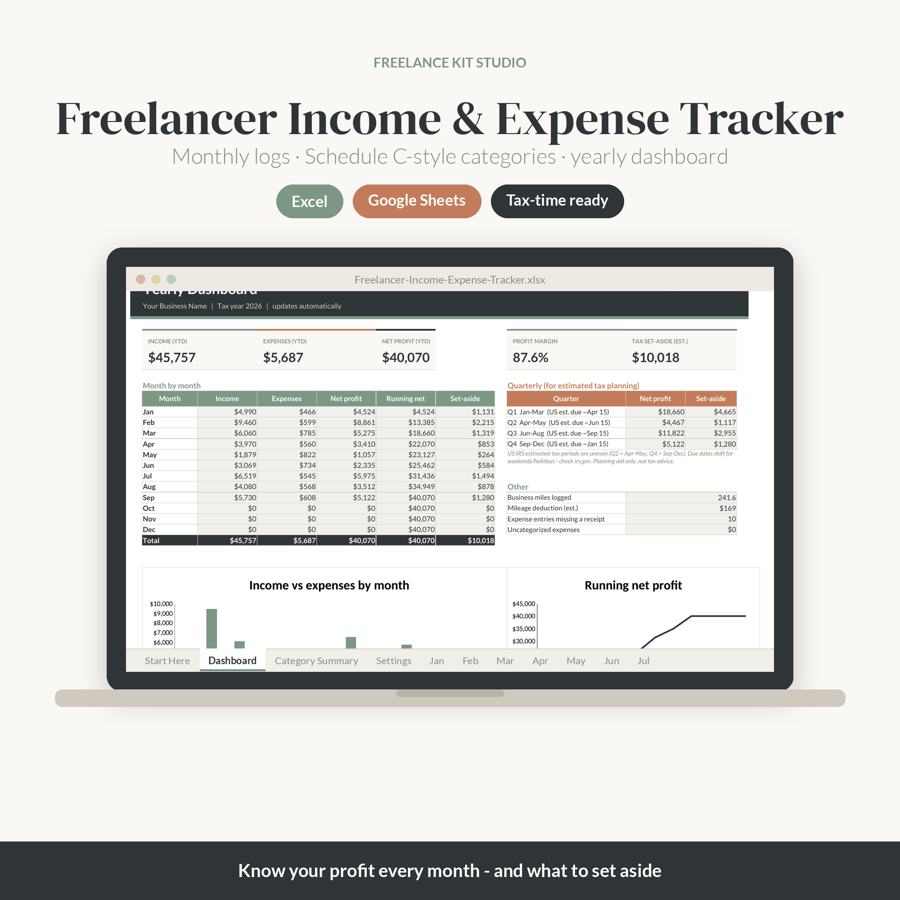
Log your income and business expenses month by month and always know your profit – and how much to set aside for taxes.
Instant digital download · Secure checkout via Gumroad
What's included
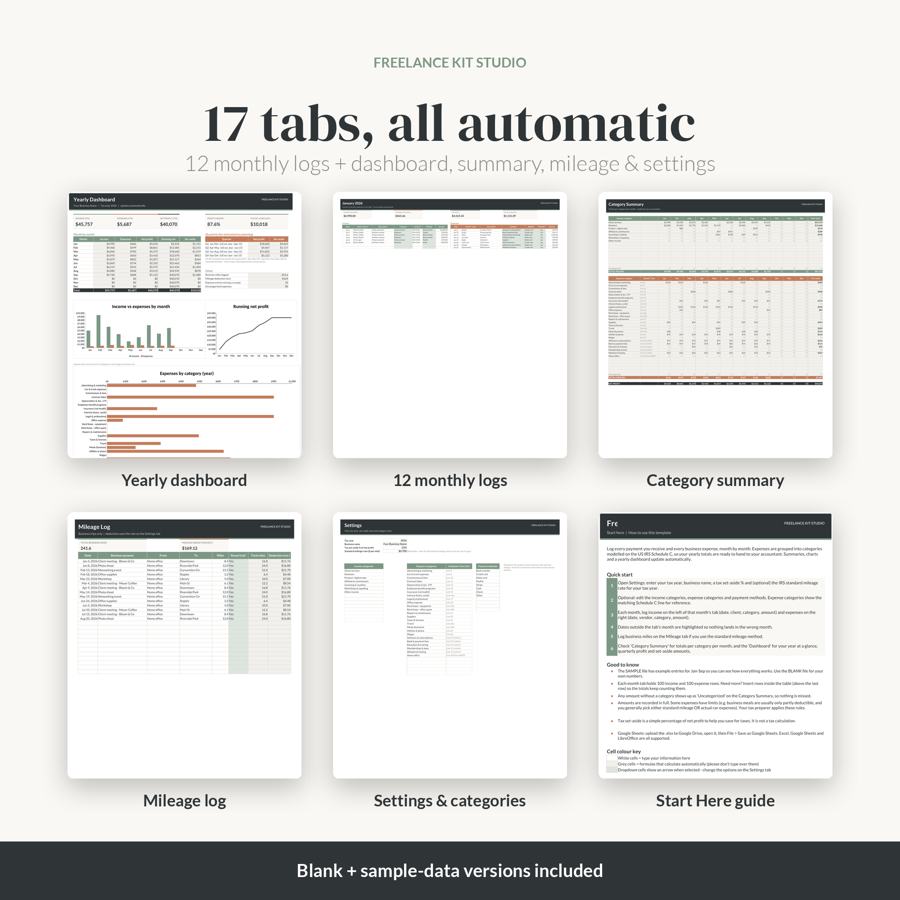
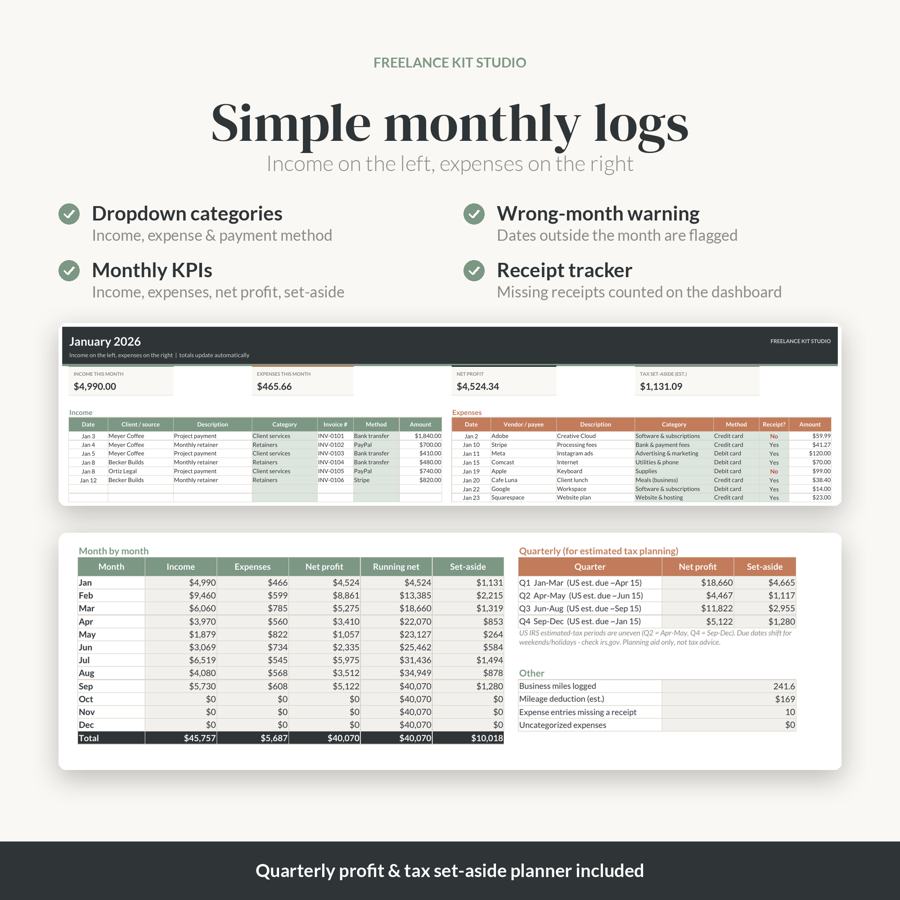
- 12 monthly tabs: income log + expense log side by side (100 rows each) with monthly income, expenses, net profit and set-aside
- Yearly Dashboard: YTD income, expenses, net profit, margin, month-by-month table, running profit and charts
- Quarterly profit & set-aside planner (matching US estimated-tax periods)
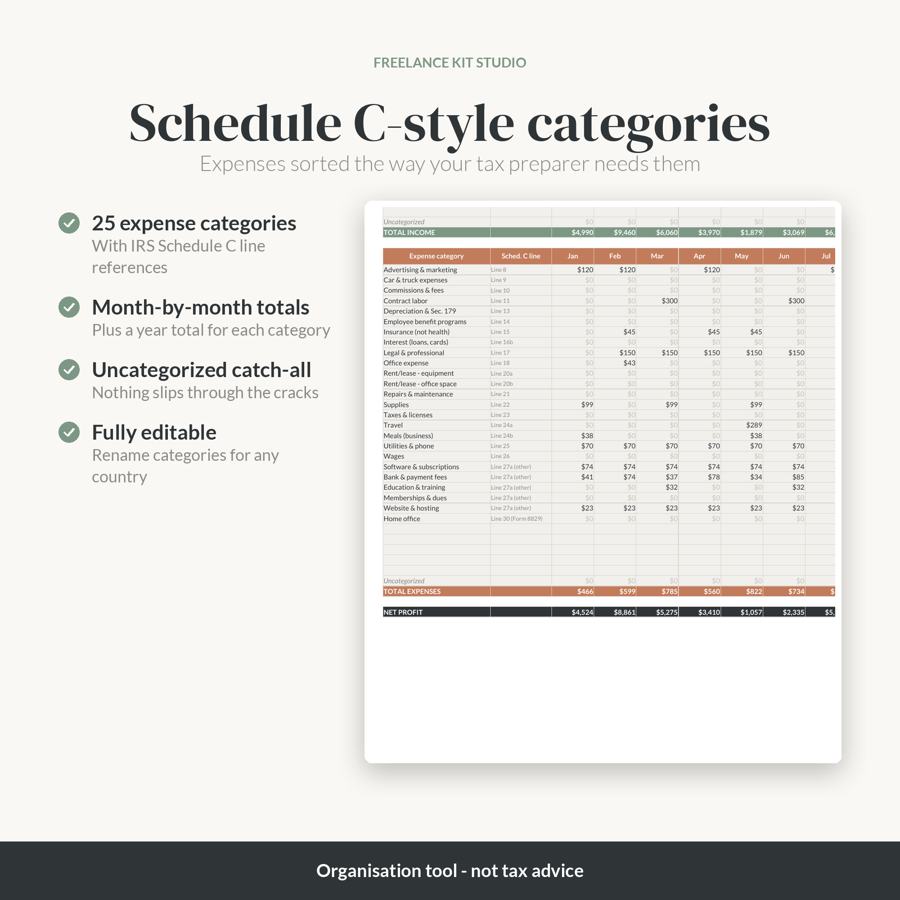
- Category Summary: every category per month + year total, ready for your accountant
- 25 expense categories modelled on IRS Schedule C with line references (fully editable)
- Mileage log with a deduction estimate, missing-receipt counter and uncategorized-expense check
- Settings tab, Start Here instructions tab, a BLANK file and a SAMPLE-data file
Features
- Dropdown categories and payment methods
- Wrong-month dates flagged automatically
- Charts: income vs expenses, running net profit, expenses by category
- Works in Microsoft Excel and Google Sheets (also LibreOffice / Apple Numbers)
- No macros, no subscription
How to access
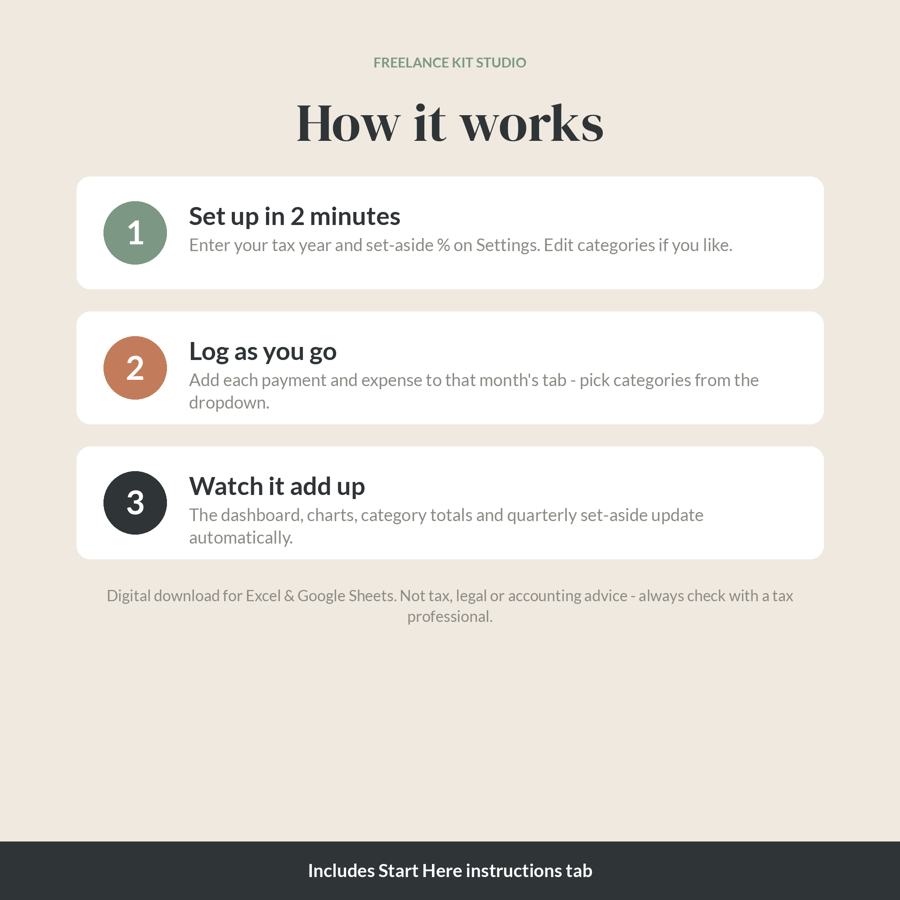
Download the .xlsx files from the link in your Gumroad receipt email (or your Gumroad library). Open in Excel, or upload to Google Drive and choose File > Save as Google Sheets. Step-by-step instructions are inside the file.
This is an organisation tool, not tax, legal or accounting advice. Schedule C categories are for reference only and tax rules change – please confirm with a qualified tax professional. Outside the US? Simply rename the categories.
Please note
- This is a digital download. No physical item will be shipped.
- Colours may vary slightly between screens and printers.
- For personal use in your own business. Please don't resell or share the files.
- Questions? Email [email protected] or reply to your purchase receipt email – happy to help.
Get the Income & Expense Tracker – $19
FAQ
What's included in the Income & Expense Tracker?
12 monthly tabs: income log + expense log side by side (100 rows each) with monthly income, expenses, net profit and set-aside; Yearly Dashboard: YTD income, expenses, net profit, margin, month-by-month table, running profit and charts; Quarterly profit & set-aside planner (matching US estimated-tax periods); Category Summary: every category per month + year total, ready for your accountant; 25 expense categories modelled on IRS Schedule C with line references (fully editable); Mileage log with a deduction estimate, missing-receipt counter and uncategorized-expense check; Settings tab, Start Here instructions tab, a BLANK file and a SAMPLE-data file.
What software do I need?
Works in Microsoft Excel and Google Sheets (also LibreOffice / Apple Numbers).
How do I get the files after buying?
Download the .xlsx files from the link in your Gumroad receipt email (or your Gumroad library). Open in Excel, or upload to Google Drive and choose File > Save as Google Sheets. Step-by-step instructions are inside the file.
Is this a physical product?
This is a digital download. No physical item will be shipped.
Does it need macros or a subscription?
No macros, no subscription.
How much does it cost?
$19 (USD), one-time payment via secure Gumroad checkout.